Two streams, two separate answers
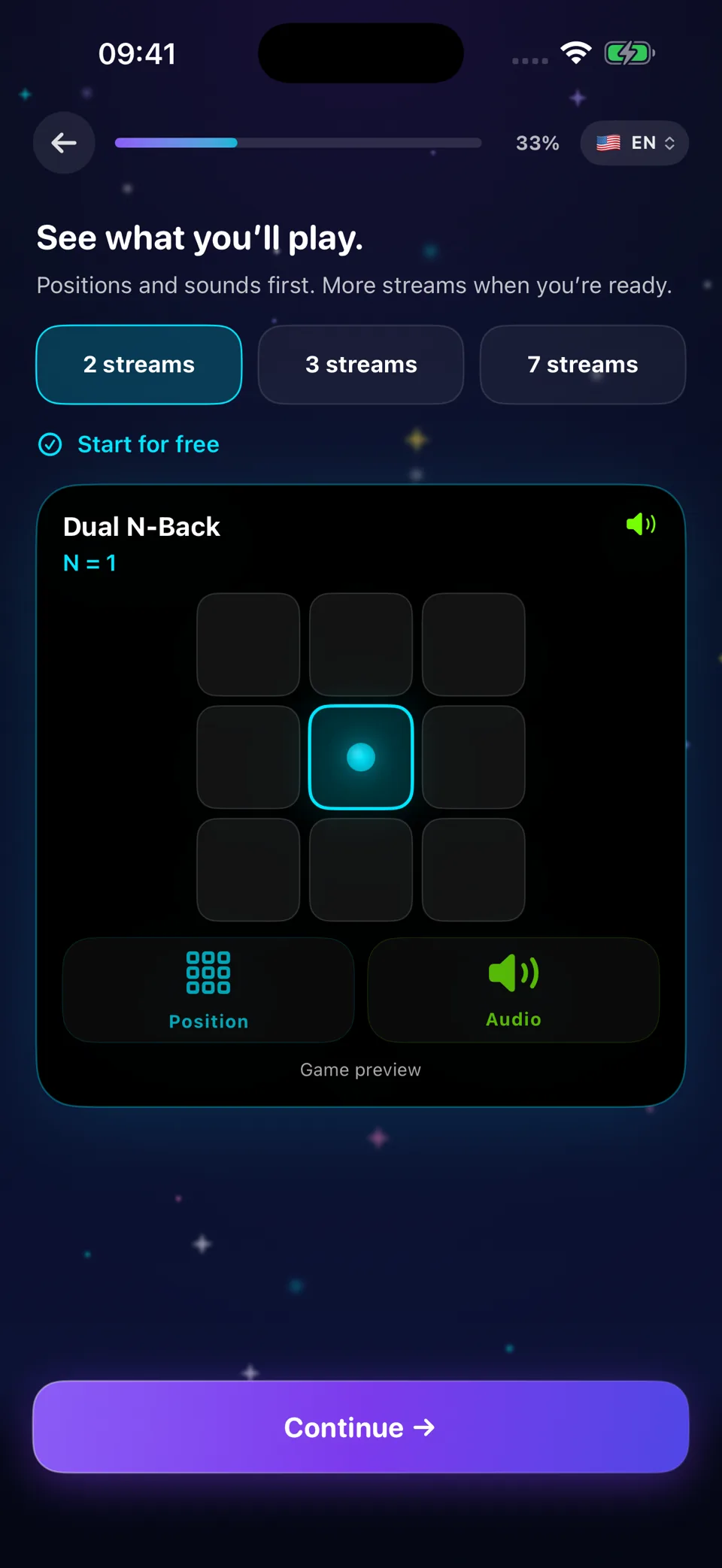
Follow a position on the grid and a spoken letter at the same time, and answer for each one separately. Holding both in mind while a new pair arrives every few seconds is what makes the task demanding.
 Dual N-Back
Memory & attention
working-memory app for iPhone, from N=1 to N=15
Check the App Store for availability in your country. Checked on 16 October 2026. Final availability depends on your Apple account country.
iPhone and iPad · iOS 17+ · 47 languages on the App Store · In-app purchases
Dual N-Back
Preview language : English
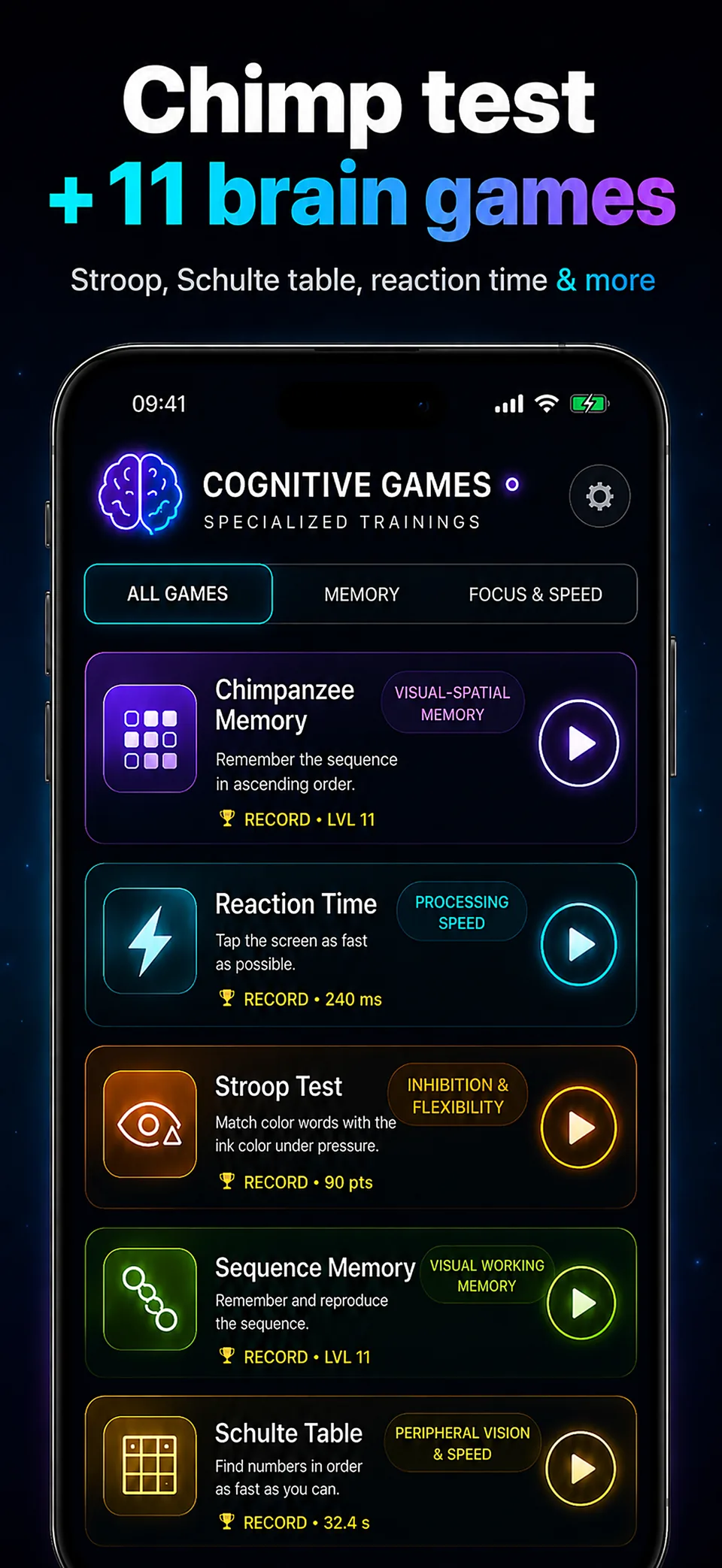
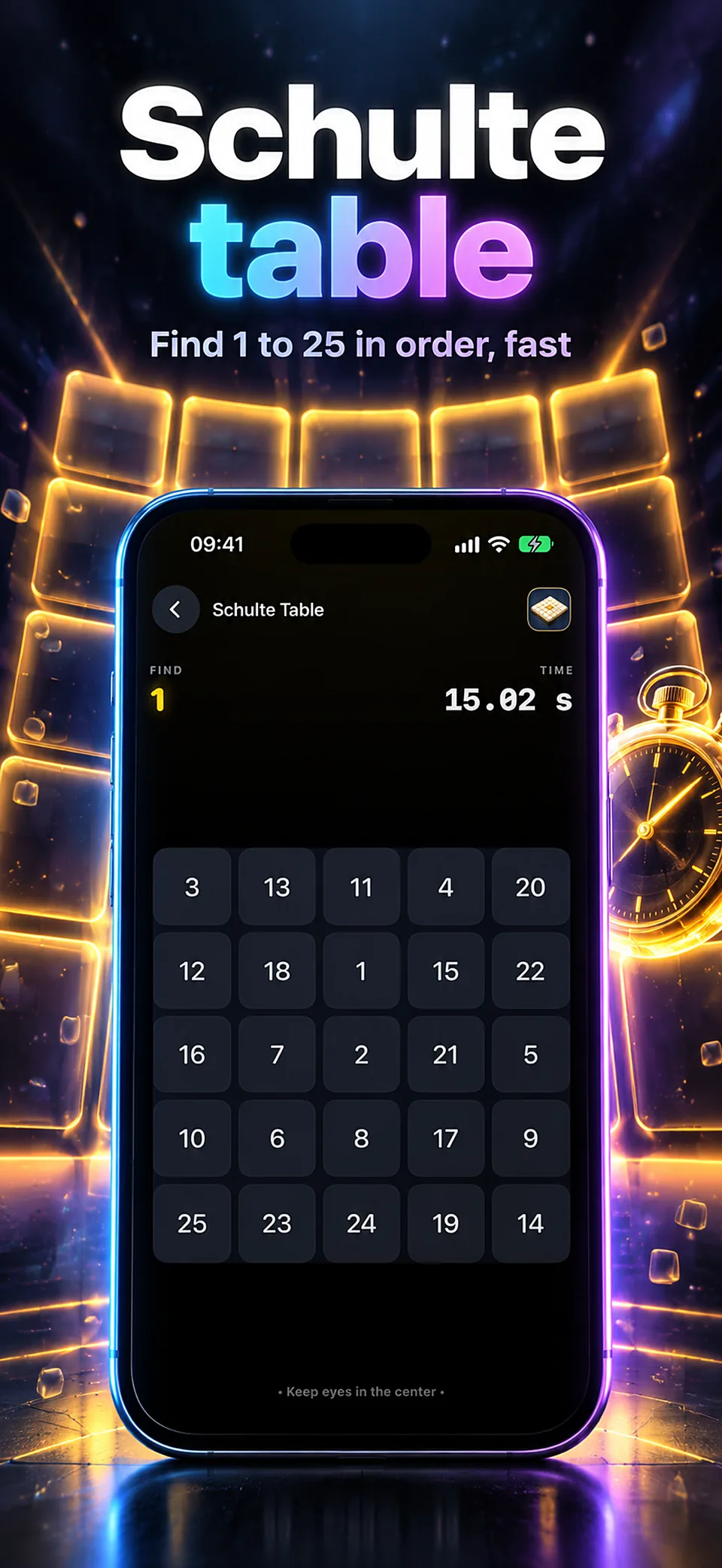
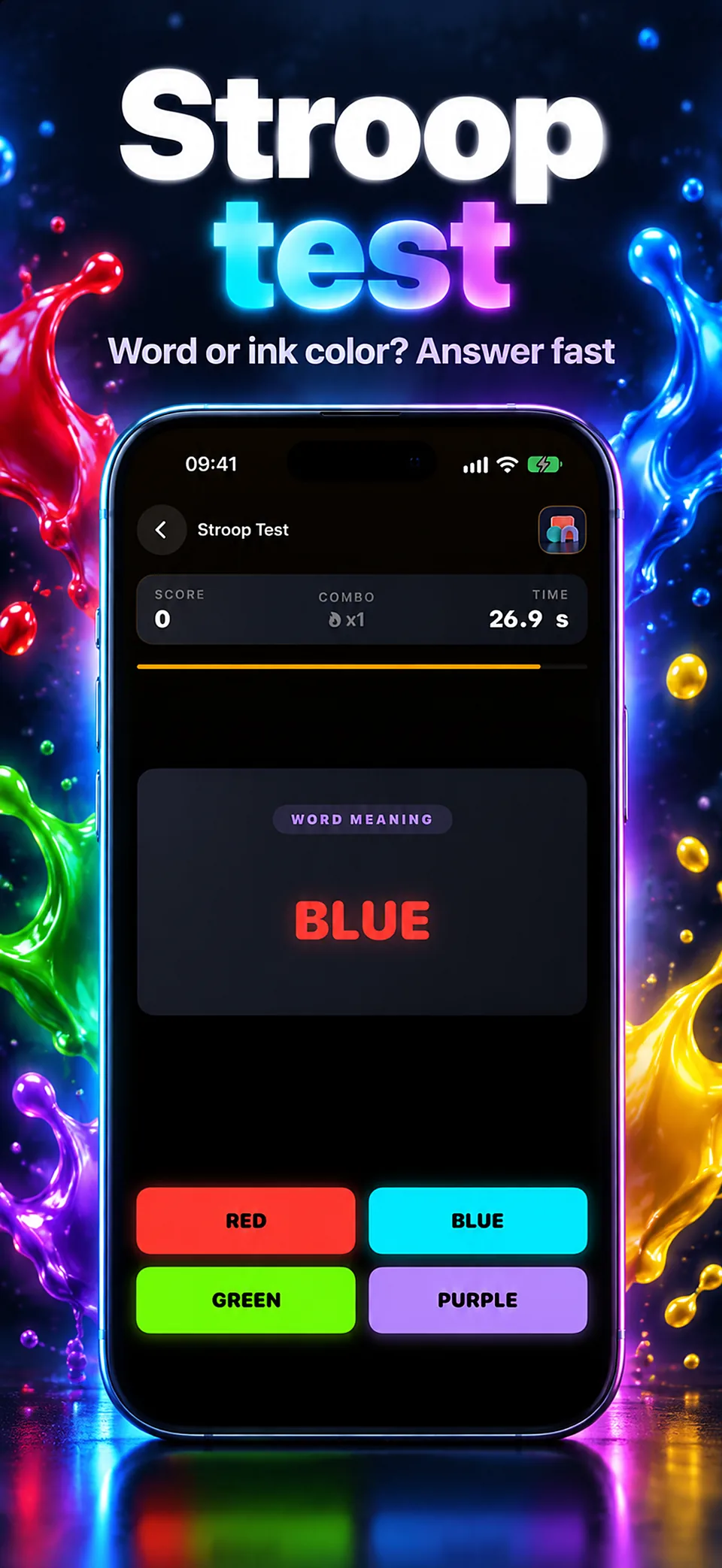
Screens from version 3.8.16
Illustrative screens. Features and appearance may vary by version.
Preview unavailable. Please try again.
At turn 3, compare with turn 1: the position and letter both match.
Play the 8-turn tutorial and a scored round onlineWhat you can do
A square lights up on a 3×3 grid while a letter is spoken. Tap Position, Audio, both or neither, depending on what matches the item from N turns earlier.
Follow a position on the grid and a spoken letter at the same time, and answer for each one separately. Holding both in mind while a new pair arrives every few seconds is what makes the task demanding.
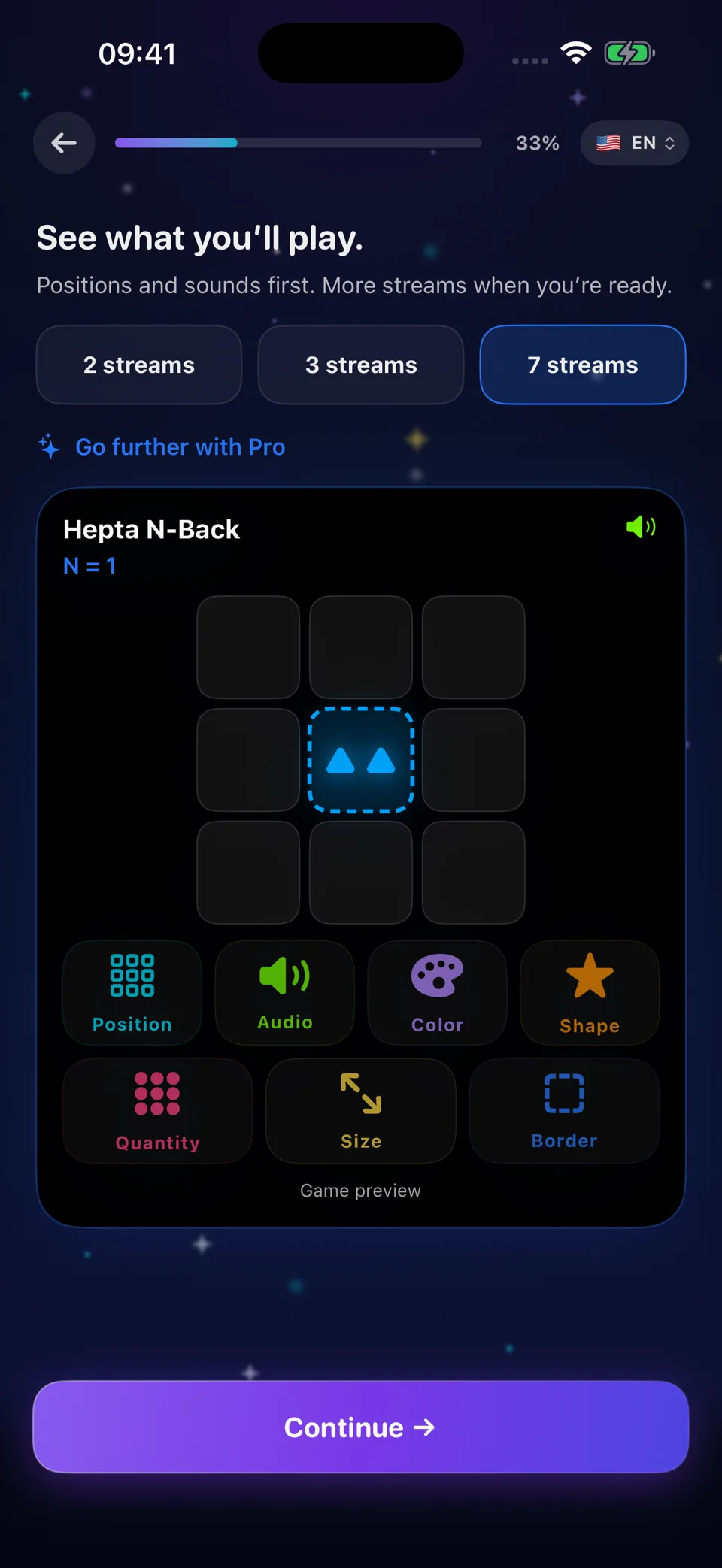
Dual uses position and sound. Triple adds colour, Quad shape, Penta quantity, Hexa size and Hepta the cell border. Each mode opens after one session of the previous one and has its own ladder up to N=15.
Chimp memory, reaction time, Stroop, sequence memory, Schulte table, typing, aim trainer, verbal, number and visual memory, mental rotation and rule switching. Each test keeps your best result, and all twelve are free without limit.
Your scores describe your performance on these tasks. Dual N-Back does not measure IQ and promises no gain in intelligence, grades or health.
Dual N-Back
| Free | Pro | |
|---|---|---|
| Dual N-Back (position + sound) | N=1 and N=2, 3 sessions a day | N=1 to N=15, unlimited |
| Extra streams | — | Triple (colour), Quad (shape), Penta (quantity), Hexa (size), Hepta (border) |
| Cognitive Lab, 12 tests | All, unlimited | All, unlimited |
| History and statistics | Complete history | Complete history and full statistics |
| Custom Mode and Free Mode | — | Included |
Pro is offered monthly, yearly (with a 7-day free trial for eligible accounts) or as a one-time lifetime purchase. The App Store shows the price in your currency before you confirm.
Dual N-Back
You start at N=1. Each mode has its own ladder, up to N=15.
Each item stays on screen for 2.5 seconds by default in Dual, 8% longer for each extra stream, and you can set it from 0.75 to 4 seconds in Settings. A session is 20 items plus N by default; you can also pick 30, 40, 50 or a custom length.
About a third of the items are real matches. A few traps repeat the item from N−1 or N+1 turns back, so a near-repeat is not a match.
Accuracy per stream = hits ÷ (hits + misses + false alarms). Reach 80% on every active stream at your highest level to unlock the next one: 85% on position and 75% on sound is not enough.
To compare two sessions, keep the same mode, level and session length. A higher task score does not establish a change in IQ or everyday abilities.
Dual N-Back
Dual n-back comes from working-memory research. A 2008 study reported gains on fluid-intelligence tests that grew with the amount of training.
Later reviews disagree. A meta-analysis of 20 n-back studies found a small positive effect on fluid intelligence.
Another meta-analysis, covering 87 publications, found no convincing far transfer when training was compared with an active control group.
Melby-Lervåg, Redick & Hulme, Perspectives on Psychological Science, 2016
Across 33 randomised trials, training improved untrained n-back tasks, with very small effects on fluid intelligence and cognitive control; dual versions did no better than single ones.
What you can measure in the app is your accuracy on each stream and the level you reach. Dual N-Back does not measure IQ and promises no gain in intelligence, grades or health.
Does dual n-back work? The full evidenceDual N-Back
Brain Workshop is a free, open-source dual n-back program for computers. Here is how the app, Brain Workshop’s default settings and the protocol of the 2008 study compare.
| Dual N-Back | Brain Workshop | Jaeggi et al., 2008 | |
|---|---|---|---|
| Runs on | iPhone and iPad (iOS / iPadOS 17+) | Computers: a Windows download, or the Python source code | A computer screen and keyboard, with letters through headphones |
| Cost | Free download: Dual at N=1 and N=2, 3 sessions a day, and the Lab; Pro monthly, yearly or lifetime | Free and open source (GNU GPL) | A research protocol, not a product |
| Pace | About one item every 3 s in Dual: 2.5 s on screen, then at least 0.6 s before the next (adjustable) | About one trial every 3 s (adjustable) | One trial every 3 s: 0.5 s on screen and a 2.5 s gap |
| Session length | 20 + N items by default; the 20 can be 30, 40, 50 or any multiple of 5 up to 500 | 20 + N² trials by default (adjustable) | 20 blocks of 20 + N trials a day, about 25 minutes |
| Level changes | Next level unlocked at 80% on every active stream; you pick any unlocked level | Up at 80% of the combined score; down after three sessions below 50% | After each block: up with fewer than 3 mistakes per stream, down with more than 5 mistakes |
| Streams | Position and spoken letter; up to 7 streams with Pro (Triple to Hepta) | Dual by default; also triple, quad and pentuple (5 streams), arithmetic, multi-stimulus and other modes | Position and letter |
Brain Workshop: default settings read in the source code of version 5.0.3 on 21 October 2026; it also offers an optional Jaeggi mode. App figures come from the app’s code, checked the same day. Neither the app nor Brain Workshop’s defaults reproduce the 2008 protocol exactly.
Training at a computer and want a free, open-source program you can configure in depth? Brain Workshop fits. Training on iPhone or iPad, with 80% required on every stream to unlock the next level, and the free Lab tests? That is what the app is for; N=3 and above and Triple to Hepta need Pro.
Dual N-Back
Your sessions are saved on your iPhone or iPad and synced through your iCloud account when available. There is no app account. Scores go to Game Center only if you use Game Center. Apple processes purchases; RevenueCat records their status and, if you installed the app after an Apple Ads ad, the campaign attribution. Usage events go to TelemetryDeck with a random installation identifier hashed before sending — for example app launches, offer screens, a session’s mode, level and length, and the result grade when you share a score — without your name, email or advertising identifier. Training works offline; purchases and Game Center need a connection.
Read the app’s privacy policyGuides
Understand position matches, sound matches and the meaning of N before your first dual n-back session.
Understand hits, misses and false alarms in dual n-back. Compare scoring formulas with a worked example and an interactive calculator.
Understand what changes at each n-back level, compare position and sound correctly, and choose a difficulty using accuracy rather than an arbitrary target.
Session lengths and frequencies used in dual n-back research, what the evidence shows about transfer, and how to set realistic expectations.
An honest walk through the research on dual n-back: what improves, what does not, why the meta-analyses disagree, and how to train without fooling yourself.
Dual N-Back
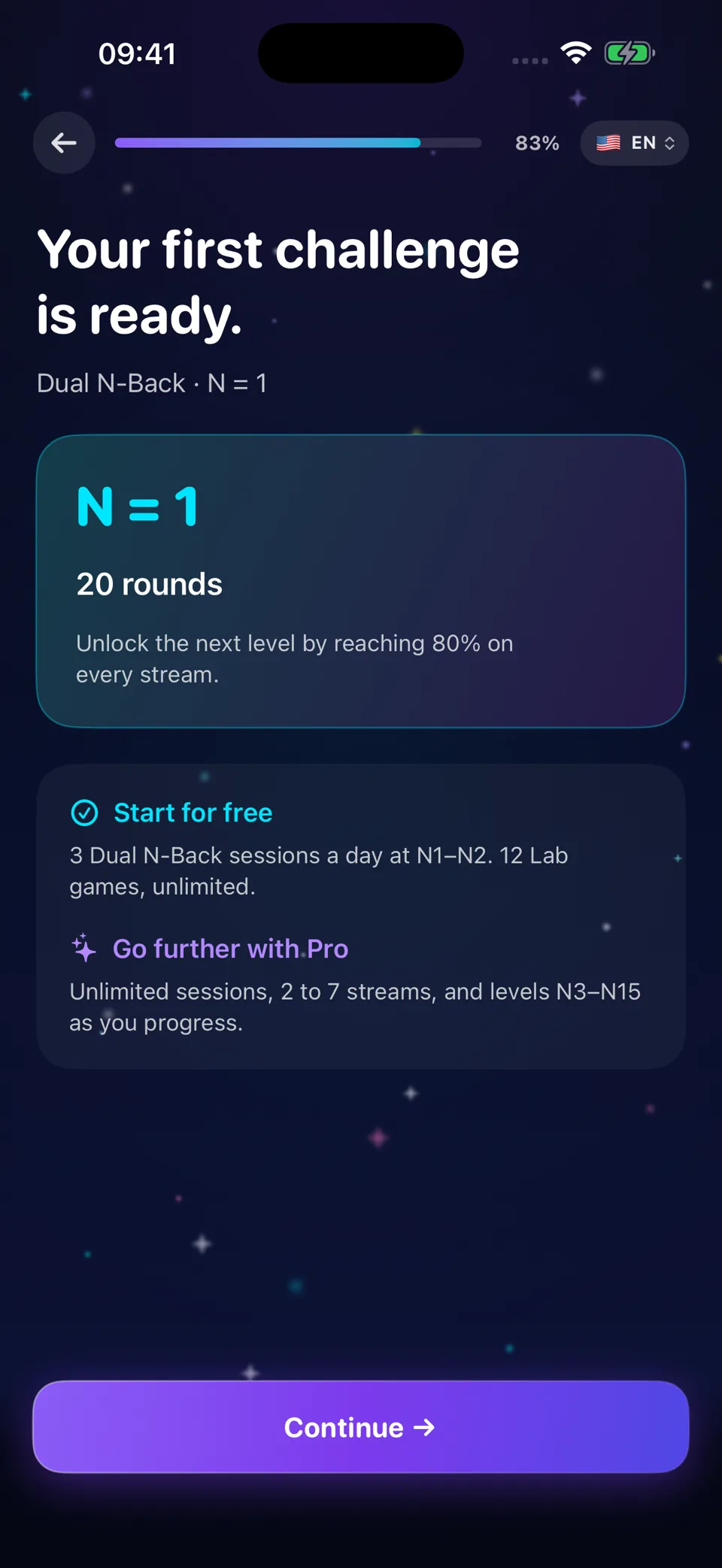
The download is free. Without Pro you get 3 dual n-back sessions a day at N=1 and N=2, your complete history and all 12 Lab tests without limit. Pro unlocks N=3 to N=15, Triple to Hepta, unlimited sessions and full statistics.
Pro is monthly, yearly (with a 7-day free trial for eligible accounts) or lifetime. Prices depend on your country and are shown on the App Store before you confirm. You can manage or cancel a subscription in your Apple account settings.
Finish a session at your highest unlocked level with at least 80% on every active stream; a high average cannot make up for one stream below 80%. Each mode has its own ladder, up to N=15.
Yes. The browser version uses the same grid, letters, timing and scoring at levels 1 to 5, with no account, and saves nothing.
Brain Workshop is a free, open-source program for computers. By default it combines your streams into one score and moves you up at 80%. Dual N-Back runs on iPhone and iPad and unlocks the next level only at 80% on each stream. Both show a new item about every 3 seconds by default.
No promise. Scores describe your performance on these tasks. Studies show reliable gains on the trained task, some gains on similar memory tasks, and small or no gains on intelligence tests.
Yes on iPhone and iPad with iOS or iPadOS 17 or later. The App Store lists 47 languages for the app; check its Languages section for the current list.
Support
Include the app name, your iPhone model, iOS version and a description of the issue. Never include passwords or payment details.
iPhone and iPad · iOS 17+
Free download · In-app purchases
English · Arabic · Bangla · Catalan · Croatian · Czech · Danish · Dutch · Filipino · Finnish · French · German · Greek · Hebrew · Hindi · Hungarian · Indonesian · Italian · Japanese · Kannada · Korean · Malay · Marathi · Norwegian Bokmål · Persian · Polish · Portuguese · Punjabi · Romanian · Russian · Simplified Chinese · Slovak · Slovenian · Spanish · Swahili · Swedish · Tamil · Telugu · Thai · Traditional Chinese · Turkish · Ukrainian · Urdu · Vietnamese · Gujarati · Malayalam · Odia
Memory & attention
Check the App Store for availability in your country. Checked on 16 October 2026. Final availability depends on your Apple account country.
Available on the App Store