Both languages, side by side
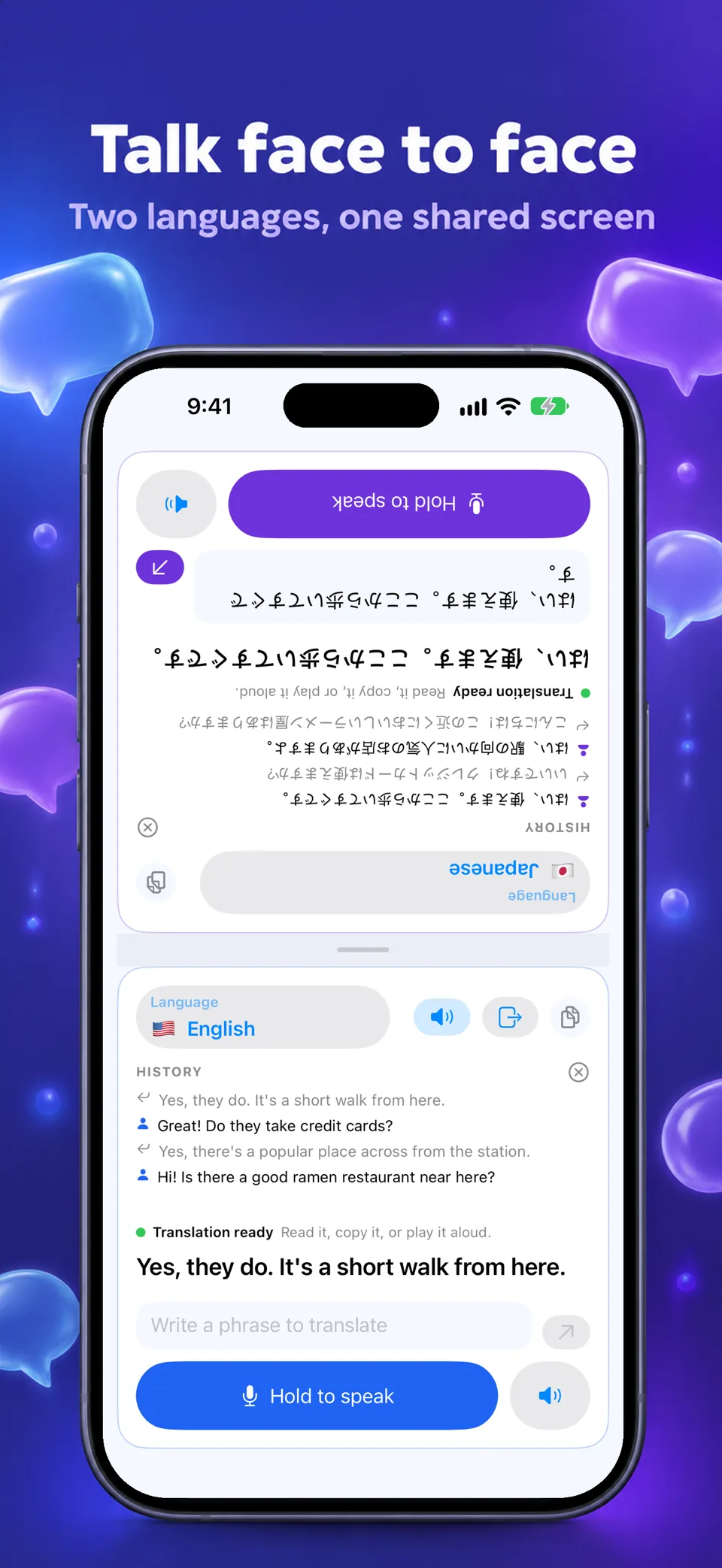
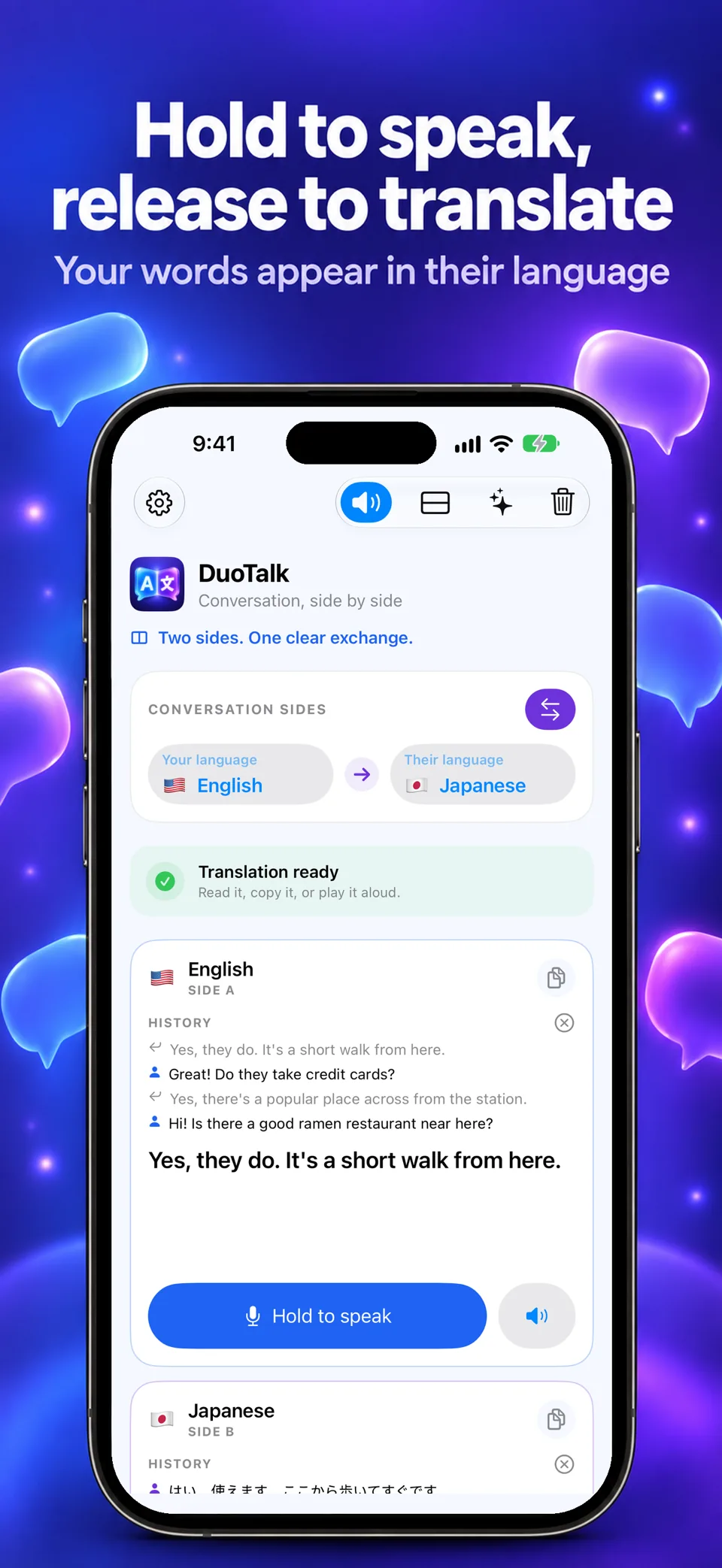
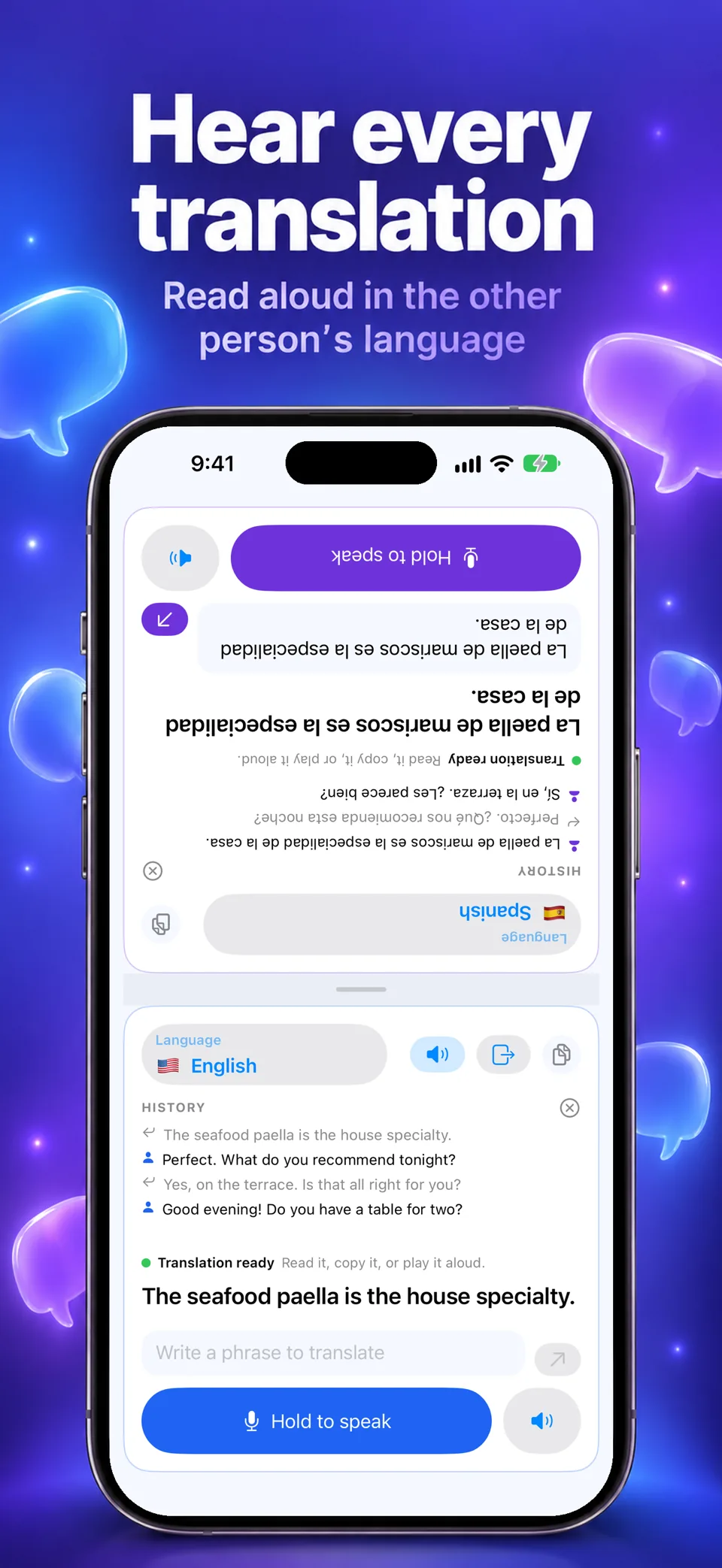
The original phrase and its translation stay visible together, so each person can follow the exchange without passing the phone back and forth.
 DuoTalk
Face-to-face translation
face-to-face conversation translator for iPhone
Availability depends on your Apple account country; check the App Store.
Available on the App Store
DuoTalk
Preview language : English
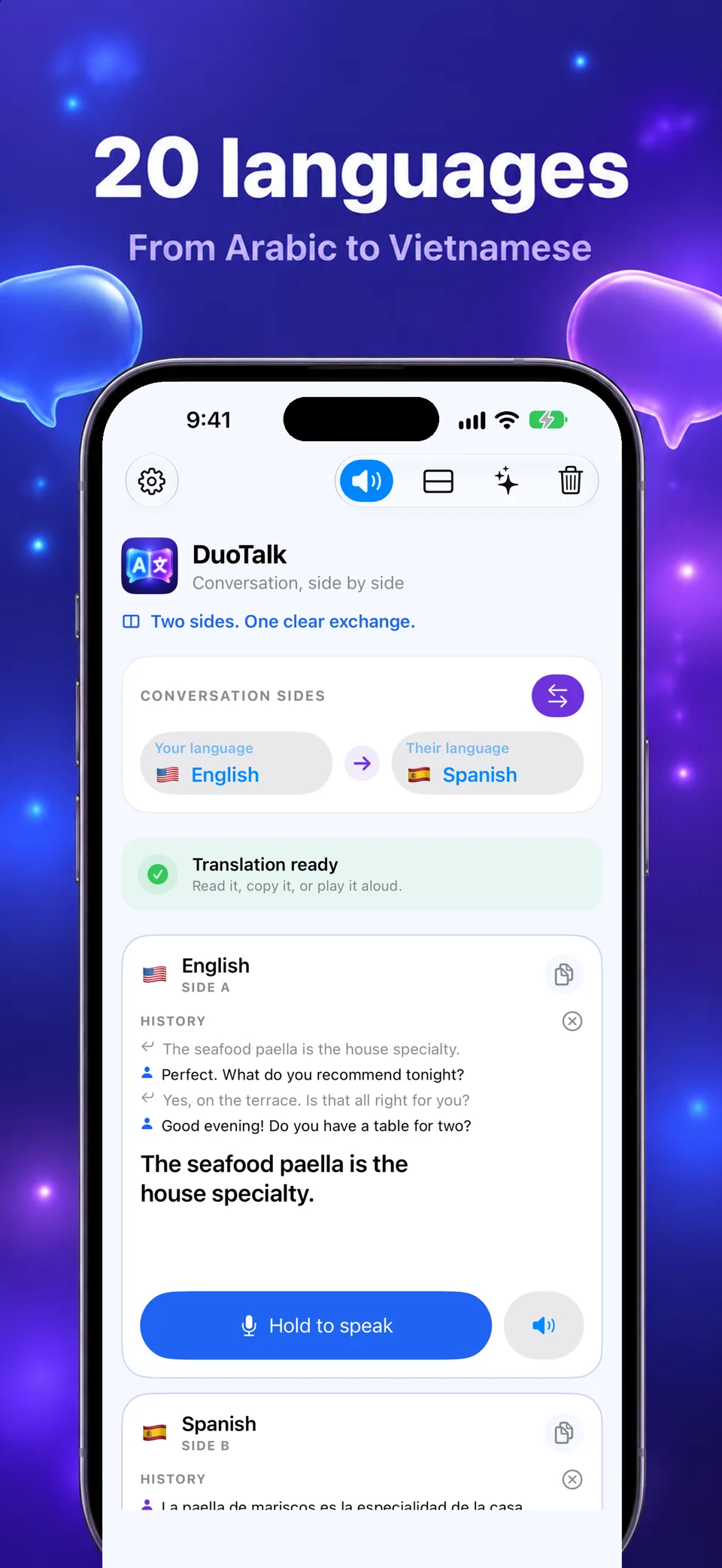
Screens from version 1.0
Illustrative screens. Features and appearance may vary by version.
Preview unavailable. Please try again.
What you can do
Talk with someone who speaks another language, without passing one phone back and forth. DuoTalk keeps both languages on screen at once, each phrase next to its translation. Designed for iPhone and iPad.
The original phrase and its translation stay visible together, so each person can follow the exchange without passing the phone back and forth.
The microphone listens only while you hold the button, and no recording is saved. You can also type a phrase and have the translation read aloud.
Text is translated by Apple Translation on the device, in 20 languages from Arabic to Vietnamese, and each translation can be read aloud in the other person’s language. No account, no DuoTalk server.
Machine translation can be wrong or unavailable for a language pair; it is an aid to understanding, not a substitute for a qualified interpreter. Full access requires DuoTalk Pro: a weekly or yearly subscription, or a lifetime purchase. Prices and any eligible introductory offers are shown before purchase.
DuoTalk
DuoTalk turns an iPhone into a face-to-face interpreter. Each half of the screen belongs to one person and their language: one person holds to speak and lets go, and the translation appears on the other person’s side, read aloud if wanted. Each side keeps its own history of the conversation. Translation is done on the iPhone by the engine built into iOS, so some languages need a one-time download first. The App Store lists twenty languages, from Arabic and Chinese to Ukrainian and Vietnamese.
It is for two people who share a room but not a language, and need to talk with a phone between them.
Machine translation can make mistakes, and DuoTalk is not a certified interpreter: do not rely on it alone in an emergency or for medical, legal or other high-stakes communication. Speech recognition uses Apple’s speech service, which may process your voice on Apple’s servers depending on the language and your iPhone. DuoTalk keeps no audio recordings and does not save conversations.
Guides

DuoTalk
Yes. DuoTalk 1.0 is available on the App Store. Full access requires DuoTalk Pro through a subscription or lifetime purchase; prices are shown before purchase.
DuoTalk offers on-device Apple Translation in 20 languages. Availability of a language pair depends on the iPhone and iOS version; language resources may need downloading before use.
DuoTalk targets iPhone and iPad with iOS 18 or later. Translation languages and voices depend on the device and iOS version. Check the App Store compatibility section.
The current conversation stays on the iPhone and can be cleared at any time. Speech is processed only while you hold the button, and no recording is saved. The privacy policy gives the details.
Full access to DuoTalk requires DuoTalk Pro, a weekly or yearly subscription, or a one-time lifetime purchase. The App Store shows your local price and any trial before you confirm.
These are translated website pages. Check the Languages section of the App Store listing for the app itself. Some content may use a different language.
On iPhone, open Settings, tap your name, then Subscriptions. Select the app to review or cancel an active subscription. Deleting the app does not cancel a subscription.
Support
Include the app name, your iPhone model, iOS version and a description of the issue. Never include passwords or payment details.
Face-to-face translation
Availability depends on your Apple account country; check the App Store.
Available on the App Store