A path that follows your level
Solve ranked puzzles and follow your rating through eight leagues. Infinite mode chains puzzles together and tracks your streak.
 Chess Puzzles
Chess & tactics
daily tactics, ranked puzzles and adventure
Chess Puzzles is a chess tactics trainer for players who want short practice sessions at their own level, online or offline, with puzzles taken from real games. Ratings describe your results on these puzzles and do not guarantee progress in competitive chess.
Availability depends on your Apple account country; check the App Store.
Available on the App Store
Chess Puzzles
Preview language : English
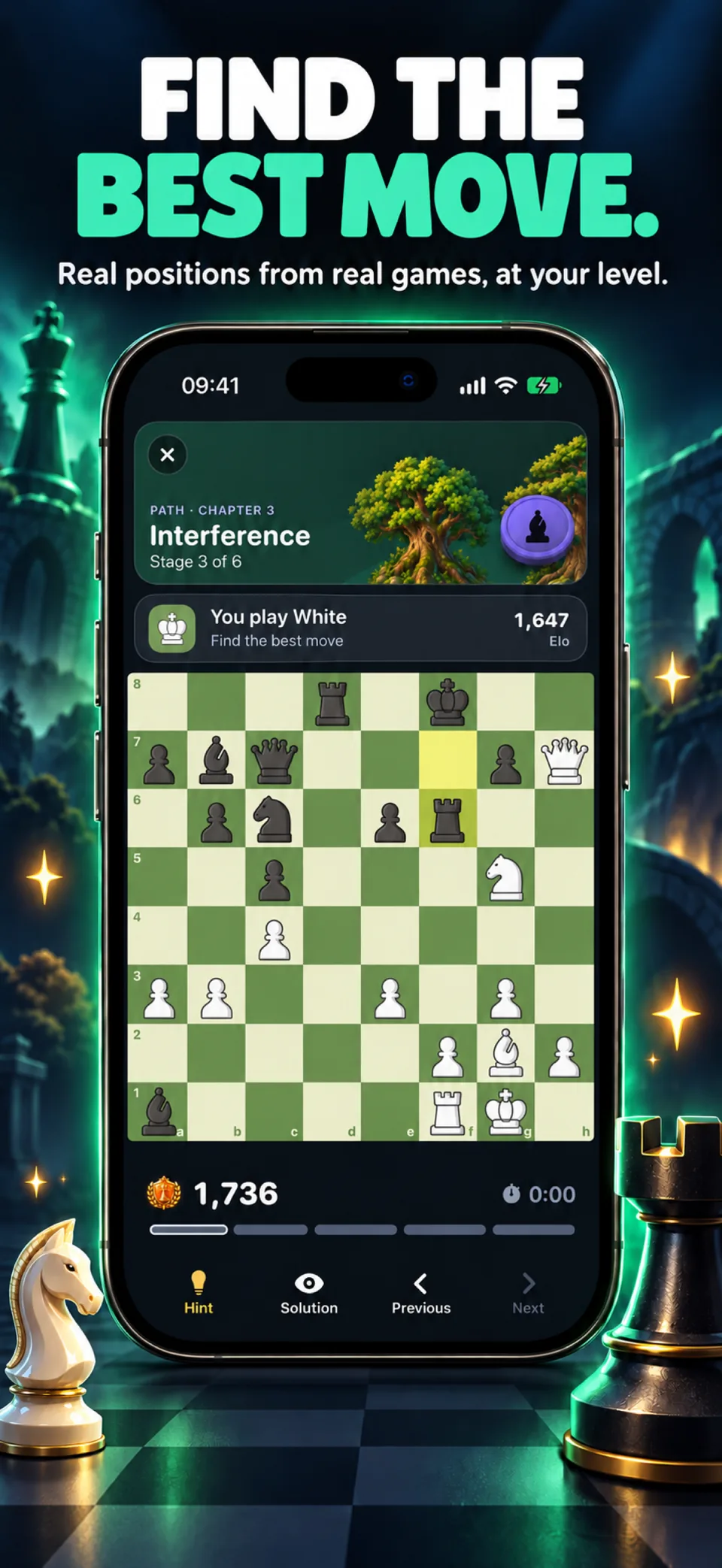
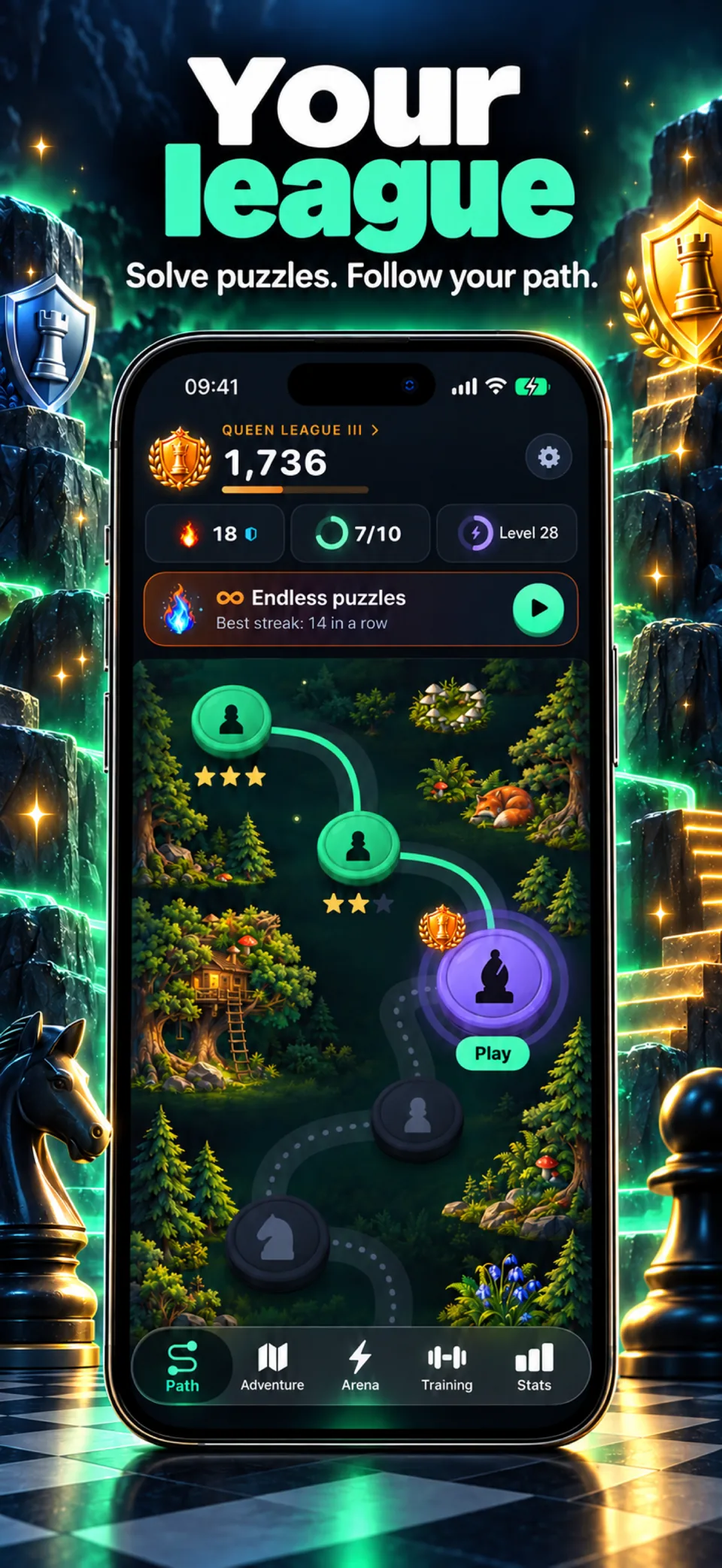
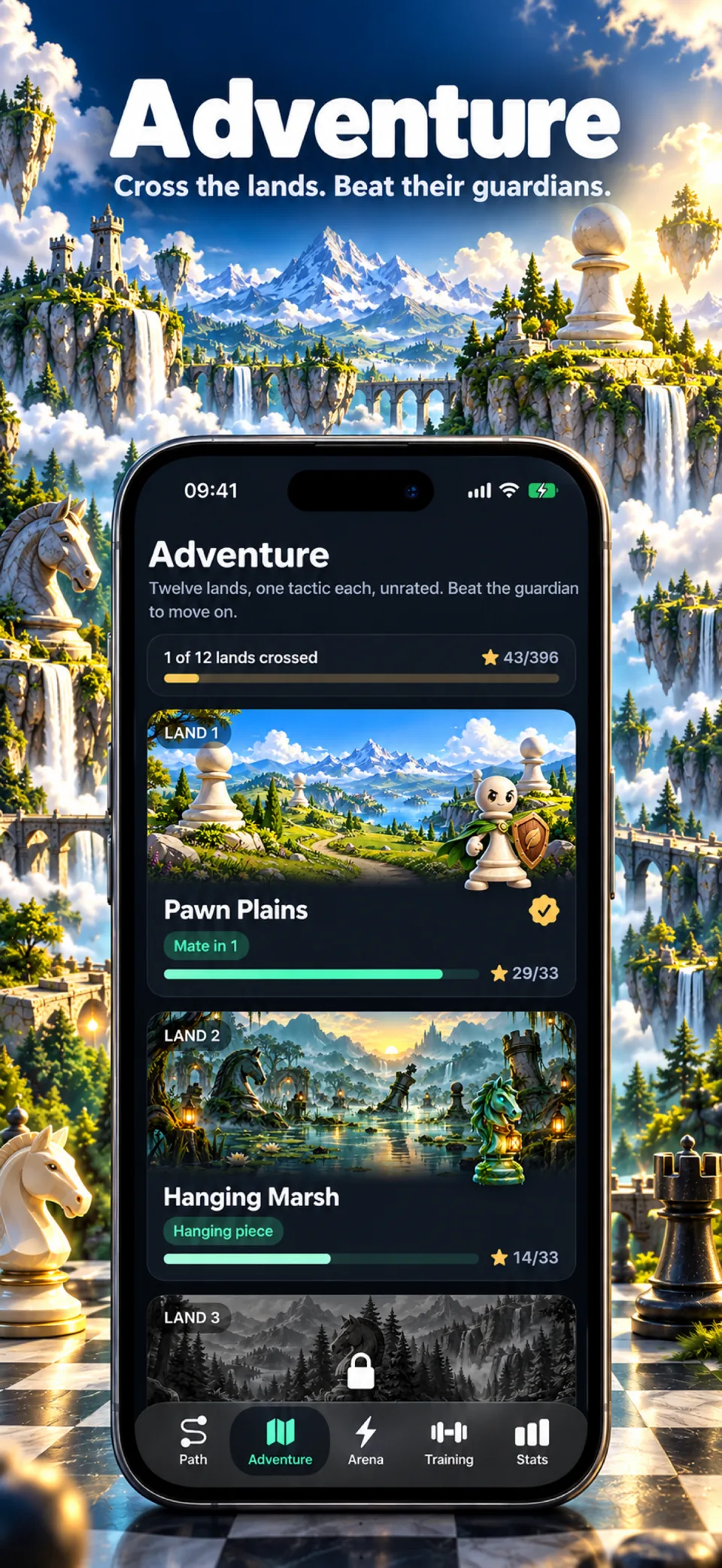
Screens from version 1.0.4
Illustrative screens. Features and appearance may vary by version.
Preview unavailable. Please try again.
What you can do
Find the best moves in chess positions, follow your rating and explore a puzzle adventure. Train offline on iPhone with daily puzzles, timed sprints and practice by theme.
Solve ranked puzzles and follow your rating through eight leagues. Infinite mode chains puzzles together and tracks your streak.
Explore twelve realms, solve the daily puzzle or try a timed sprint and Survival. Optional Game Center leaderboards and achievements let you share your results.
Choose a tactical theme or an opening, revisit your mistakes and follow your accuracy, response time and activity. The puzzle collection is stored on your iPhone for offline training.
The app is available in more than 50 languages on iPhone with iOS 18 or later. A subscription or lifetime purchase is required after the welcome screens. Purchases and Game Center require an internet connection. Ratings describe performance on these puzzles and do not guarantee progress in competitive chess.
Chess Puzzles
Chess Puzzles serves tactics taken from real games, each with a best move to find. The Path is a series of short stages at your level; Endless mode moves your rating with every answer; Adventure has twelve illustrated lands, each built around one tactic such as forks or pins. The Arena adds a daily puzzle, 3 or 5 minute sprints and a survival mode with three lives. A My Mistakes list brings back missed puzzles at spaced intervals, and 73 themes let you work on one pattern at a time. The puzzles come from the Lichess open puzzle database (public domain, CC0).
It is for chess players who want to practise tactics in short sessions at their own level, on the phone, with or without a connection.
Ratings describe performance on these puzzles and do not guarantee progress in competitive chess. The app works offline, but purchases and Game Center need an internet connection. There is no account and no ads.
Guides
Chess Puzzles
Chess Puzzles is a chess tactics trainer for players who want short practice sessions at their own level, online or offline, with puzzles taken from real games. Ratings describe your results on these puzzles and do not guarantee progress in competitive chess.
The puzzles and training history are stored on your iPhone. Purchases and optional Game Center services need an internet connection.
Full access to Chess Puzzles requires Chess Puzzles Pro, a weekly or yearly subscription, or a one-time lifetime purchase. The App Store shows your local price and any trial before you confirm.
These are translated website pages. Check the Languages section of the App Store listing for the app itself. Some content may use a different language.
On iPhone, open Settings, tap your name, then Subscriptions. Select the app to review or cancel an active subscription. Deleting the app does not cancel a subscription.
Support
Include the app name, your iPhone model, iOS version and a description of the issue. Never include passwords or payment details.
Chess & tactics
Availability depends on your Apple account country; check the App Store.
Available on the App Store